
Artist Business
How to Photograph Your Art Show Booth for Jury Applications
Make jury booth photographs that show the full display clearly, meet application rules, and represent the work you actually plan to exhibit.
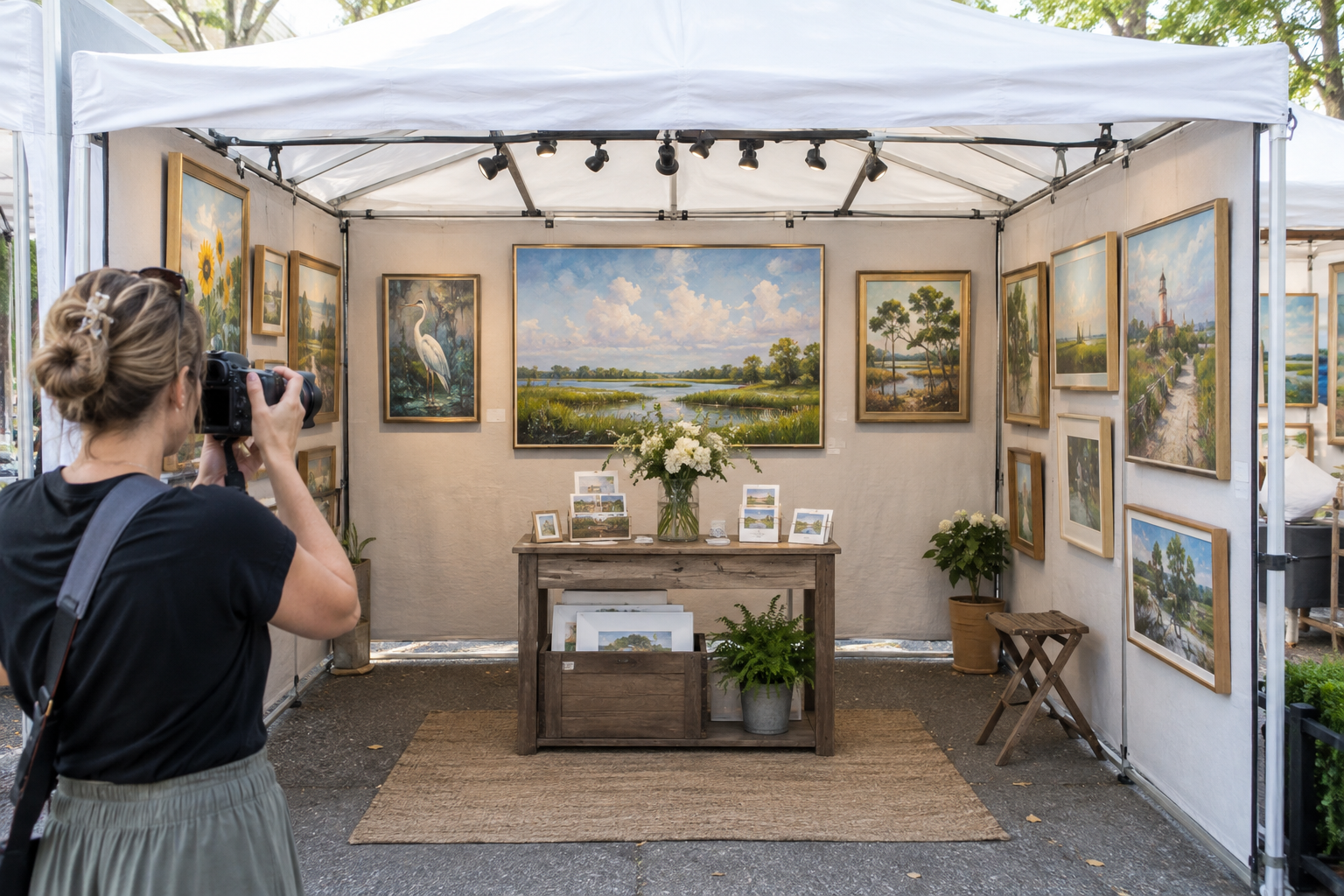
For a juried show, the booth photograph has a specific job: show how your work appears together in an event setting. It should be accurate, easy to read at a small size, and consistent with the work images in your application. A dramatic angle is less useful if it hides half the display.
Read the application requirements first
Check the required number of images, dimensions, file format, background rules, and whether people or signage may appear. Some shows ask for a booth at a real event; others accept a staged setup. Follow the individual show’s instructions rather than assuming one photo works everywhere. Keep the original file and export a separate copy for each application.
Set up the booth you intend to show
Photograph a complete, realistic display, including walls, floor, tables, and the amount of work you would bring. Remove packing materials, drinks, handwritten temporary notes, and clutter. Make sure labels and price cards are neat, even if they are too small to read in the final image. Our booth setup guide can help you prepare a coherent display before the camera comes out.
Choose a clear view and even light
Stand far enough back to include the full booth without tilting the camera sharply upward. A straight-on view or slight angle often works best; check that the entrance and side walls remain visible. Photograph in soft, even light, and watch for glare on glazed work or frames. If artificial lights are part of the booth, test them in the image so colors stay believable. See our booth lighting guide for practical checks.
Edit for accuracy, then test at thumbnail size
Crop and correct exposure gently, but do not remove flaws or composite work that was not in the booth. View the final file at the small size a reviewer may see. Can you identify the medium, range of work, and overall presentation in two seconds? If not, simplify the display or retake the photo. Save a dated version so the next application starts with a reliable reference.